By S. Durrant
Comparing the best novel to screenplay converter tools in 2026 — FluidScriptr, LivingWriter, AI chatbots, and traditional screenwriting software. Which fits your manuscript and budget?
If you’ve finished a novel and want to see it as a screenplay, you have more options in 2026 than ever before — and they range from free chatbot prompting to professional software to purpose-built conversion tools. The right choice depends on one question: do you want a writing environment, or do you want your finished manuscript converted?
This guide compares the main approaches honestly, including where each one falls short. (Full disclosure: FluidScriptr is our tool. We’ll tell you exactly when it’s not the right choice.)
Quick Comparison
| Tool | Best for | Pricing model | Converts whole manuscript? |
|---|---|---|---|
| FluidScriptr | Authors with a finished manuscript | Per-manuscript, one-time | Yes — full manuscript in one pass |
| LivingWriter | Writers who want a full writing suite | Monthly/annual subscription | Chapter by chapter |
| ChatGPT / Claude (DIY) | Tinkerers on a budget | Free–low monthly | In small chunks, manually |
| Vondy & AI generators | Quick experiments from summaries | Subscription platform | Summary/excerpt-based |
| Final Draft & trad software | Writing the adaptation yourself | One-time purchase | No — formatting only |
1. FluidScriptr — Built for One Job: Manuscript In, Screenplay Out
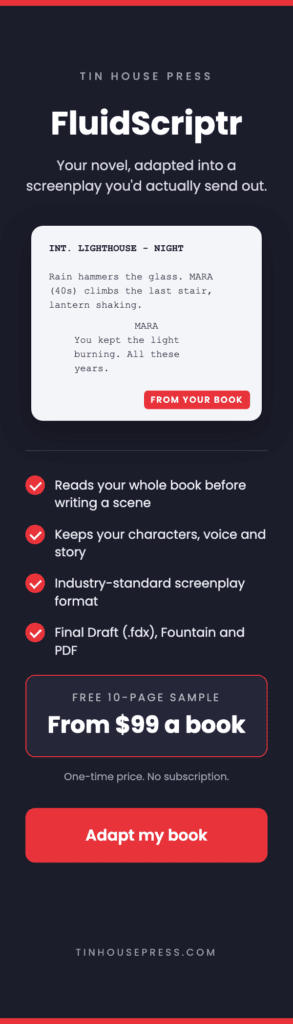
What it is: FluidScriptr is a browser-based tool that takes your complete, finished manuscript and converts it into an industry-standard screenplay — sluglines, action lines, and dialogue extracted and restructured from your prose. Nothing to install; everything runs in the browser.
What sets it apart:
- Whole-manuscript conversion. You don’t feed it chapters one at a time or paste summaries. Upload the manuscript, get the screenplay.
- Conversion Fidelity Analysis. After conversion, you get a report showing where the adaptation preserved your story faithfully and where it compressed or restructured — so you know exactly where to focus your revision.
- Per-manuscript pricing. You pay per project, not per month. If you adapt one novel a year, you’re not renting software for the other eleven months.
- An optional Adaptation Package adds professional adaptation support on top of the conversion for authors who want a more polished, pitch-ready result.
Where it’s not the right choice: FluidScriptr converts finished manuscripts. If you’re still drafting your novel, or you want an all-in-one environment to write, plan, and organize your book, a writing suite like LivingWriter serves you better until the manuscript is done. And if you intend to write the screenplay entirely by hand from a blank page, you just need formatting software.
Verdict: The strongest option when the manuscript is finished and the goal is a complete, formatted screenplay draft you can revise — especially for authors who prefer paying once per project over another subscription.
2. LivingWriter — A Writing Suite With Conversion Included
What it is: LivingWriter is a cloud-based writing platform built for fiction and nonfiction authors. It bundles a manuscript editor with story-structure templates (Hero’s Journey, Three-Act Structure, Save the Cat), chapter and scene management, and Grammarly integration, and markets itself broadly as an AI writing app for authors, screenwriters, and long-form documents.
The conversion feature: The AI conversion works chapter by chapter — you right-click a chapter and choose “convert to screenplay,” and it turns that chapter into a screenplay scene. That gives you control over which sections you bother converting, since much of a novel never makes it to the screen anyway — but it also means assembling a full script means converting and stitching together many separate pieces, and it assumes your manuscript already lives inside LivingWriter.
Pricing: $14.99/month, or $12/month billed annually ($144/year), with a 14-day free trial. A lifetime license is also available for a one-time $699.
Where it shines: If you’re still writing the book and want planning boards, templates, cloud sync, and AI assistance in one place, it’s a genuinely well-designed environment.
Where it falls short for adaptation: The subscription only makes sense if you use the whole suite. Paying $144/year primarily to convert one finished manuscript — chapter by chapter, after importing it — is an expensive, roundabout path to a screenplay, and some reviewers have flagged the lifetime tier as pricey next to the alternatives.
Verdict: Best-in-class if you want a full writing home. Overkill if you just need your finished novel converted.
3. ChatGPT, Claude & DIY Prompting — Cheapest, Most Labor
What it is: General-purpose AI chatbots can absolutely convert prose to screenplay format — if you do the project management. The standard workflow: summarize your novel, feed it scene by scene or chapter by chapter within the chatbot’s limits, prompt for screenplay format each time, then manually assemble and fix the formatting inconsistencies across dozens of outputs.
Where it shines: Cost. If you already pay for a chatbot subscription (or use free tiers), the marginal cost is zero. It’s also flexible — you can ask for alternate versions of a scene, dialogue punch-ups, or treatment drafts along the way.
Where it falls short:
- Context limits. A full novel doesn’t fit in one conversation, so you’re chunking, and the AI loses track of character voice, established locations, and continuity between chunks.
- Format drift. Sluglines, capitalization, and spacing come out slightly different every session. You’ll spend hours normalizing.
- No structure awareness. The chatbot converts what you paste; it doesn’t see the whole story’s shape, so compression decisions fall entirely on you.
Verdict: Viable for a determined DIYer with time to spare. Budget a few weekends of prompting and cleanup, and expect to do the structural thinking yourself.
4. Vondy and Instant AI Generators — Fast Experiments, Not Full Adaptations
What it is: Browser-based AI generators like Vondy offer book-to-screenplay tools where you paste your book text, a summary, or key plot points, choose format and genre preferences, and get back a downloadable screenplay in standard formats.
Where it shines: Speed and low commitment. Pasting a synopsis and getting formatted screenplay pages back in seconds is a genuinely useful way to see what your story feels like on the page before committing to a real adaptation.
Where it falls short: These tools work from what you paste into a text box — summaries, excerpts, key plot points. What comes back is generated from your material rather than a conversion of your manuscript: your actual dialogue, your voice, and your scene construction get approximated rather than preserved. For a pitch experiment, fine. For a screenplay that’s recognizably your book, not enough.
Verdict: A fun and useful sketchpad. Not a substitute for converting the manuscript itself.
5. Final Draft, Scrivener & Traditional Software — For Writing It Yourself
What it is: The industry-standard route. Programs like Final Draft and Movie Magic Screenwriter format your words into proper screenplay layout as you type, and tools like Scrivener fold in screenwriting templates alongside its novel-writing features. Story-development software such as Dramatica Pro, Contour, and Save the Cat! helps guide structure for writers doing the adaptation by hand.
Where it shines: Total creative control, and the file formats producers expect. If you’re doing the full manual adaptation — the three-to-six-month version — this is the professional toolkit, and your final revision pass should probably happen here regardless of how you generated the first draft.
Where it falls short: None of these convert anything. They format what you type. The blank page is entirely yours.
Verdict: Essential for the revision and polish stage. Irrelevant for the conversion stage.
So Which Should You Choose?
- Finished manuscript, want a complete screenplay draft: FluidScriptr. One pass, whole manuscript, fidelity report, pay per project.
- Still writing the novel: LivingWriter (or Scrivener) until it’s done. Convert after.
- Just exploring whether your story works on screen: A free AI generator or a chatbot session. Low stakes, fast feedback.
- Committed to hand-crafting the adaptation over months: Traditional screenwriting software, plus our complete adaptation guide.
And remember the honest truth that applies to every tool on this list: no software makes the creative decisions. Which subplots die, which characters merge, where the act breaks land — that’s the author’s job. The tools just determine how much of your time goes to mechanics versus craft.
Comparison tables only go so far. The honest test of any of these tools is what comes out the other end, so here is a full chapter of Pride and Prejudice next to the screenplay FluidScriptr made of it, unedited: judge the output yourself.
Frequently Asked Questions
What’s the best free way to convert a novel to a screenplay? DIY prompting with a free-tier AI chatbot, converted chapter by chapter. Expect significant manual assembly and formatting cleanup. FluidScriptr‘s sibling tool, the free Story Diagnosis Tool, can first tell you how adaptation-ready your story is before you invest the effort.
Can AI conversion tools produce a screenplay I can sell? They produce a formatted first draft — a strong starting point, not a finished spec script. Every professional adaptation goes through multiple human revision passes for structure, dialogue, and compression. Treat AI conversion as replacing the mechanical first month, not the craft.
Do I need to reformat AI-converted screenplays in Final Draft? Only if a producer requests a specific file format. A properly formatted PDF is acceptable at most early stages. Tools that export industry-standard formatting directly save you the extra software purchase.
How much does novel-to-screenplay conversion cost in 2026? Roughly: free (DIY chatbot, high labor), $144/year (LivingWriter subscription, chapter-by-chapter), or per-manuscript one-time pricing from ~$99 (FluidScriptr, whole manuscript). Hiring a human screenwriter for a full adaptation typically runs into the thousands.
Have a finished manuscript? Convert it with FluidScriptr — whole-manuscript conversion with a fidelity analysis, entirely in your browser, priced per project. Or start with a free Story Diagnosis to see how your story holds up on screen.